
The most common JUUL 2 problems are no vapour, not charging, burnt taste, leaking, and weak flavour. Most are caused by dirty magnetic charging pins, trapped air bubbles in pods, loose pod connections, or depleted e-liquid — and most are fixed in under two minutes. Clean the contacts, tap the pod, reinsert firmly, and replace the pod if the issue persists.
Key Takeaways
- Dirty magnetic charging pins are the leading cause of charging failure — a dry cotton swab fixes most cases in under a minute.
- Trapped air bubbles cause sudden drops in vapour production; tapping the pod mouthpiece-up clears most bubbles immediately.
- Burnt taste almost always means the pod is empty or the wick is temporarily dry — rest the pod, then replace it if the taste persists.
- Slow, steady draws prevent leaking more effectively than any fix after the fact.
- White flashing lights confirm Pod ID authentication; flashing red means the battery needs charging immediately.
- UAE temperatures above 40°C accelerate battery degradation and thin e-liquid — proper storage eliminates many preventable problems.
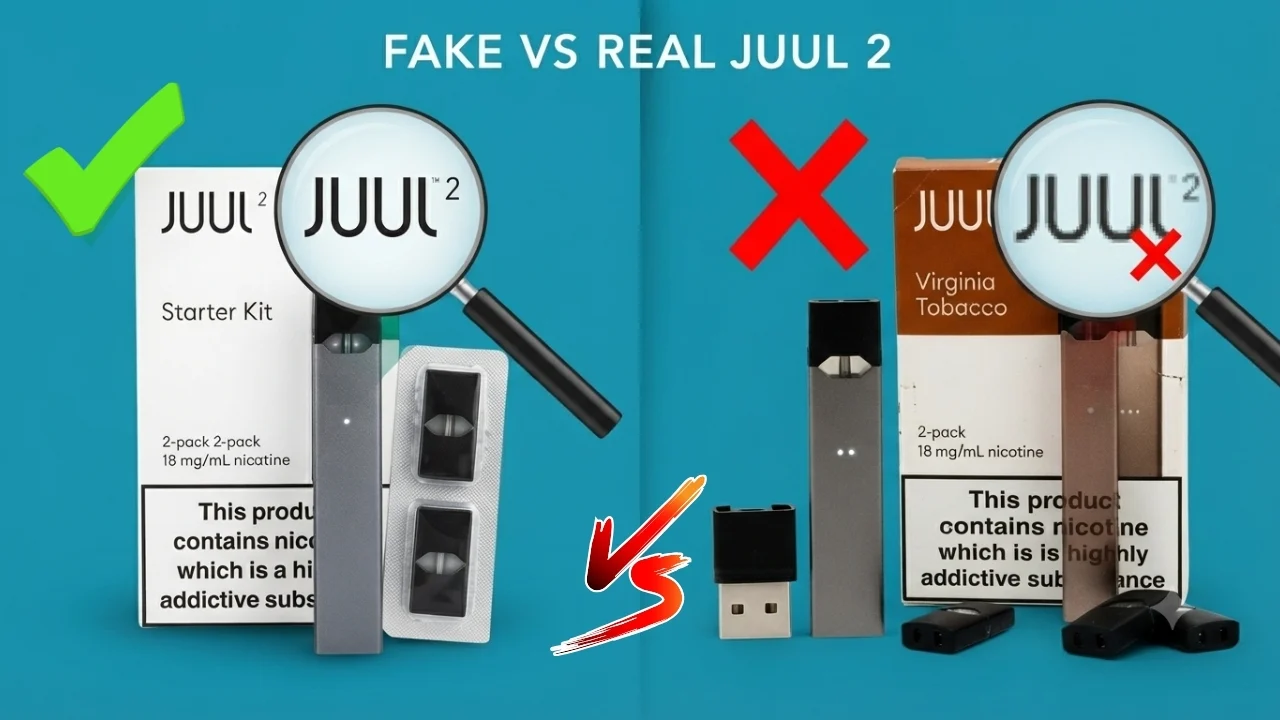
- Always use genuine JUUL 2 pods — counterfeit pods fail Pod ID authentication and produce no vapor in a genuine JUUL 2 device.
- If thorough troubleshooting fails, contact JUUL support to check warranty eligibility before purchasing a replacement.
The JUUL 2 is one of the most reliable pod vaping devices available, but daily use — particularly in the UAE’s extreme climate — creates conditions where minor issues develop over time. The good news is that the vast majority of JUUL 2 problems have nothing to do with the device being defective. They come down to dirty contacts, air bubbles, incorrect draw technique, or a pod that’s reached the end of its life.
This guide covers every common JUUL 2 problem systematically, giving you what you actually need: the cause, the fix, when to replace the pod, and when the issue warrants contacting JUUL support. Whether you’re in Dubai, Abu Dhabi, Sharjah, Ajman, Ras Al Khaimah, or anywhere across the UAE, every answer is here in one place.
Common JUUL 2 Problems at a Glance
| Problem | Most Likely Cause | Quick Fix | Estimated Fix Time |
| Not charging | Dirty magnetic charging pins | Clean with dry cotton swab | 1 minute |
| Not hitting / no vapor | Air bubble or loose pod | Tap pod mouthpiece-up, reinsert firmly | 1 minute |
| Leaking or spitback | Drawing too hard | Slow, steady draws; clear excess liquid | 2 minutes |
| Burnt taste | Empty or dry pod | Rest pod briefly, then replace | 30 seconds |
| Weak flavor | Low e-liquid or dirty contacts | Check pod level, clean contacts | 1 minute |
| No authentication lights | Counterfeit or damaged pod | Try a genuine pod from a new pack | 1 minute |
| Flashing red light | Critically low battery | Charge immediately | 60 min charge |
| Rapid battery drain | Chain vaping or ageing battery | Reduce draw frequency | Immediate |
| Auto-firing | Liquid on the airflow sensor | Clean the sensor area, and rest the device | 2 minutes |
| Pod stuck | Liquid dried around the pod connection | Wiggle gently, never force | 1–2 minutes |
Before You Start Troubleshooting
Before assuming your JUUL 2 has a fault, run through this quick checklist. Most problems are resolved at this stage without needing to go further.
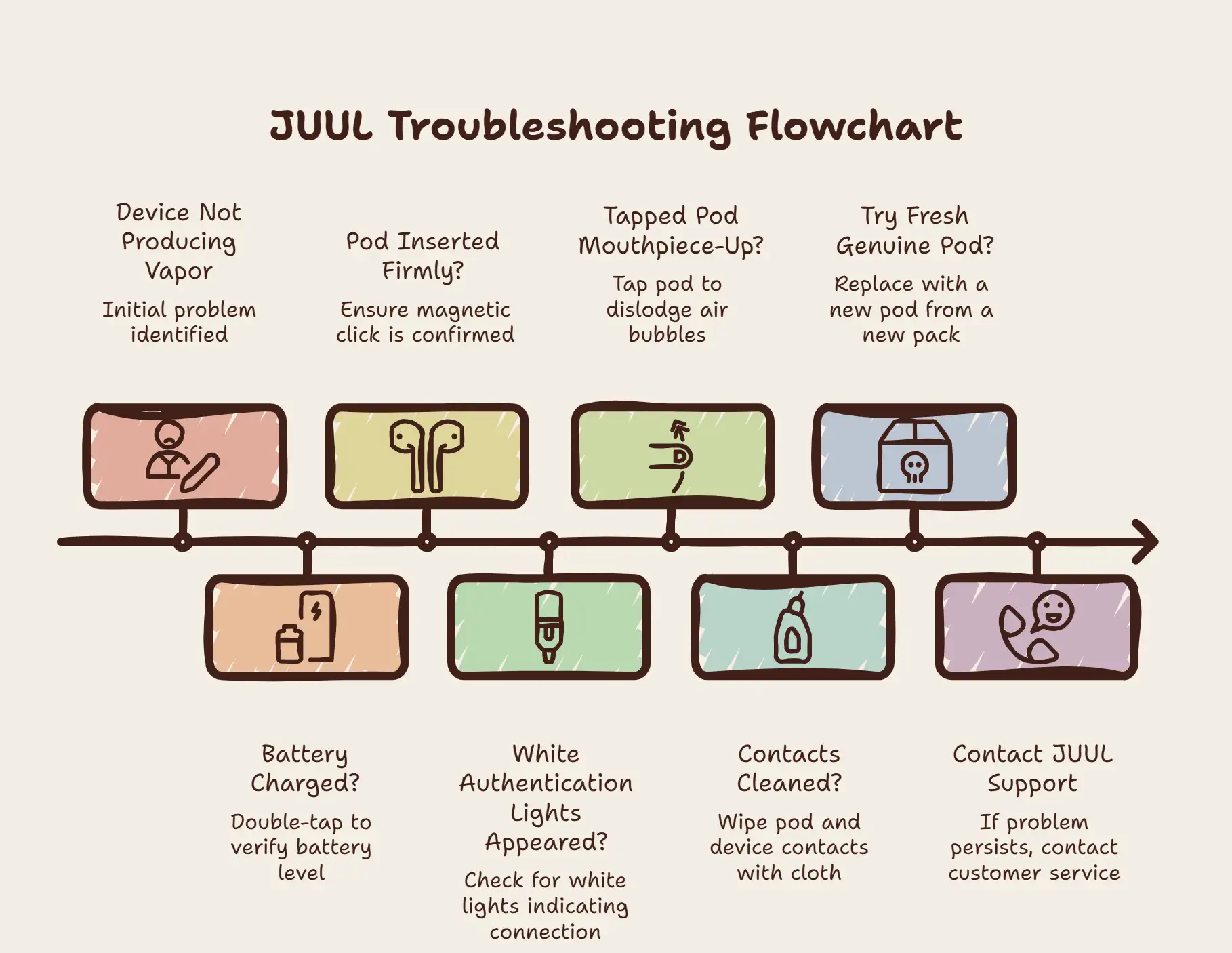
- Check the battery — double-tap the side of the device. At least one steady white light should be visible.
- Check the pod — is it fully inserted? Remove it and reinsert firmly until the magnetic click confirms seating.
- Clean the contacts — wipe both the pod’s gold pins and the device’s contact area with a dry cotton swab.
- Tap the pod — hold it mouthpiece-up and tap the contact end against your palm 5–10 times.
- Confirm the pod is genuine — white flashing lights on insertion confirm Pod ID authentication.
If these five steps don’t resolve the issue, work through the relevant problem section below.
Myth vs Fact: Common JUUL 2 Misconceptions
| Myth | Fact |
| Every leak means the pod is broken | Small moisture around the mouthpiece is often condensation — normal and harmless |
| A burnt taste means the device is defective | Almost always an empty or dry pod, not a device fault |
| A red light means the device is broken | Red flashing simply means the battery is low — charge it |
| No vapour means the device needs replacing | Usually, an air bubble, loose pod, or dirty contacts |
| Cleaning contacts won’t fix charging | Dirty pins are the most common cause of charging issues — cleaning fixes most cases |
Quick LED Guide: What Your Device Is Telling You.
You don’t need to memorise the manual to know what your JUUL 2 is doing. Just keep these basics in mind:
- Pulsing White: The device is charging. Leave it for about an hour for a full battery.
- Flashing White (On Insertion): This is the “thumbs up”—the device has authenticated your pod as genuine and is ready to go.
- Brief Purple: This happens right after the white flash and just shows your current e-liquid level.
- Flashing Red: Your battery is critical. Plug it in immediately to prevent long-term damage.
- No Light Response: If the device is charged but doesn’t light up when you insert a pod, it’s not reading the connection. This usually means the contacts need a quick clean or the pod isn’t pushed in all the way.
Problem 1: JUUL 2 Not Charging
Possible Causes
- Dust, lint, or e-liquid residue on the magnetic charging pins of the dock or device
- A faulty or incompatible USB-A power adapter
- An unstable connection between the dock and the USB port
- A physically damaged dock with bent or corroded pins
- UAE dust accumulation on the magnetic contacts — the country’s sandy environment accelerates this
Step-by-Step Solution
- Remove the JUUL 2 from the dock.
- Inspect the magnetic pins on both the dock and the device base under good lighting.
- Take a dry cotton swab and gently clean the pins on the dock, rotating to lift debris rather than smearing it.
- Repeat on the magnetic contact area at the base of the device.
- Do not use water, isopropyl alcohol, or any liquid directly on the pins — dry cleaning only.
- Try a different USB-A power source — a different wall adapter, laptop port, or power bank.
- Place the device back on the dock. White pulsing should appear within 10–15 seconds.
Expert Tip: Most JUUL 2 charging problems are caused by dirty magnetic contacts rather than battery failure. Cleaning the contacts takes less than a minute and should always be your first troubleshooting step before considering a replacement.
What NOT to Do
- Do not insert a metal object into the charging area to clean it
- Do not use alcohol or water inside the charging dock
- Do not charge in direct UAE sunlight or in a hot car — extreme heat prevents proper charging
When to Contact JUUL Support
If white pulsing lights still don’t appear after cleaning both sets of pins and testing multiple verified USB-A power sources, contact the official JUUL support team to discuss warranty eligibility before purchasing a replacement device or dock.
Problem 2: JUUL 2 Not Hitting / No Vapor
What You’ll Experience
The device is charged, and a pod is inserted, but drawing produces no vapour or significantly less vapour than normal. The device may light up correctly, but nothing comes out.
Possible Causes
- A trapped air bubble in the pod is blocking the wick
- Pod is not fully seated in the magnetic connection
- Dirty gold contact pins on the pod or inside the device
- An empty or nearly depleted pod
- Pod authentication failure due to a counterfeit or damaged Pod ID chip
- Dead or critically low battery
Step-by-Step Solution
- Double-tap the device side to confirm at least one white light — if flashing red, charge first.
- Remove the pod from the device.
- Hold the pod mouthpiece-up so the contact pins face downward.
- Tap the contact end firmly against your palm 5–10 times to dislodge any air bubbles.
- Inspect the gold contact pins on the pod and wipe them gently with a lint-free cloth.
- Clean the contact area inside the device with a dry cotton swab.
- Reinsert the pod with firm, even downward pressure until the magnetic click confirms seating.
- Watch for white flashing authentication lights.
- Take a slow, 2–3-second draw to test.
When to Replace the Pod
Replace the pod if the vapour doesn’t recover after two rounds of tapping and reinserting, if the e-liquid is very low, or if the pod has been in daily use for several days.
Fresh pods available through the JUUL 2 Pods range include Apple JUUL 2 Pods, Crisp Menthol JUUL 2 Pods, and JUUL 2 Arctic Breeze.
When to Contact JUUL Support
If multiple confirmed genuine pods, a full battery, and clean contacts all fail to produce vapour, the device’s activation sensor may have a fault. Contact JUUL support before replacing the device.
Problem 3: JUUL 2 Leaking or Spitback
What You’ll Experience
E-liquid appears in the mouthpiece or hits your mouth when drawing. You may also notice e-liquid pooling around the pod connection area or leaking from the pod casing itself.
Condensation vs Real Leaking
Many users mistake normal condensation for a leak. Here’s how to tell the difference:
| Condensation | Real Leak |
| A few small drops around the mouthpiece | Noticeably larger amounts of liquid |
| Clear or very light liquid | May have colour matching the e-liquid |
| Normal after extended sessions | Abnormal at any time |
| Wipe away with a tissue and continue | Needs troubleshooting and possible pod replacement |
| Occurs in all pods over time | May indicate a damaged pod or aggressive draw technique |
If what you’re seeing is condensation, simply wipe the mouthpiece and continue using the device normally.
Possible Causes of Real Leaking
- Drawing too hard or too fast pulls liquid into the airflow channel faster than it can vaporise
- Squeezing or biting the mouthpiece compresses the pod body and forces liquid out
- Storing the device on its side allows e-liquid to migrate into the airflow path
- UAE heat thinning the e-liquid — warmer liquid flows more readily into the airflow channel
- A physically damaged or defective pod
Step-by-Step Solution
- If liquid is in the mouthpiece, remove the pod and wrap a tissue around the opening to absorb it.
- Hold the pod with the mouthpiece down and gently blow through the contact end to clear liquid from the airflow path.
- Use a dry cotton swab to clean the device connection area.
- Allow everything to dry briefly before reinserting.
- Reinsert the pod and take a slow, 2–3 second draw.
Preventing Future Leaks
- Take slow, steady mouth-to-lung draws — the JUUL 2 is not designed for hard, rapid pulls
- Never squeeze or bite the mouthpiece
- Store the device upright at all times, especially overnight
- Keep the device away from UAE summer heat — pods stored in warm environments thin e-liquid significantly
When to Replace the Pod
Replace the pod if leaking continues despite correct draw technique, if the pod has visible physical damage, or if it leaks immediately from first use.
When to Contact JUUL Support
If multiple new pods all leak consistently in the same device, the pod connection area may have a fault. Contact JUUL support if this pattern persists across different pod packs.
Problem 4: JUUL 2 Burnt Taste or Weak Flavour
What You’ll Experience
A harsh, chemical, or distinctly burnt flavour replaces the normal taste. Alternatively, the flavour is still present but noticeably weaker than usual, often alongside thinner vapor production.
Possible Causes
Burnt taste:
- Pod e-liquid is very low or depleted, leaving the wick dry
- Chain vaping has overheated the coil before the wick could re-saturate
- Old pod with degraded coil
Weak flavor:
- Pod e-liquid is running low
- Air bubble partially blocking the wick
- Dirty contacts reduce power delivery
- Pod stored in heat, affecting e-liquid integrity
Step-by-Step Solution
For burnt taste:
- Stop drawing immediately — continuing heats a dry wick and makes recovery less likely.
- Remove the pod and hold it up to light to check the e-liquid level.
- If very low or dark, replace the pod.
- If the liquid still looks adequate, rest the pod horizontally for 2–3 minutes to re-saturate the wick.
- Reinsert and take one slow test draw.
- Replace the pod if the burnt taste persists.
For weak flavour:
- Tap the pod mouthpiece up to clear any air bubbles.
- Clean the gold contact pins on both the pod and the device.
- Reinsert firmly and check battery level.
Clean Contacts vs Replace Pod: When to Do Which
| Situation | Clean Contacts | Replace Pod |
| Charging issue | ✓ — always try first | ✗ |
| Burnt taste | ✗ — won’t help | ✓ — pod is depleted |
| Weak flavor | ✓ — try first | ✓ — if cleaning doesn’t help |
| Leaking | ✓ — clean after leak | ✓ — if pod is damaged |
| Authentication failure | ✓ — try first | ✓ — if cleaning doesn’t resolve |
| No vapor with air bubble | ✓ — clean contacts | Only if tapping doesn’t work |
When to Replace the Pod
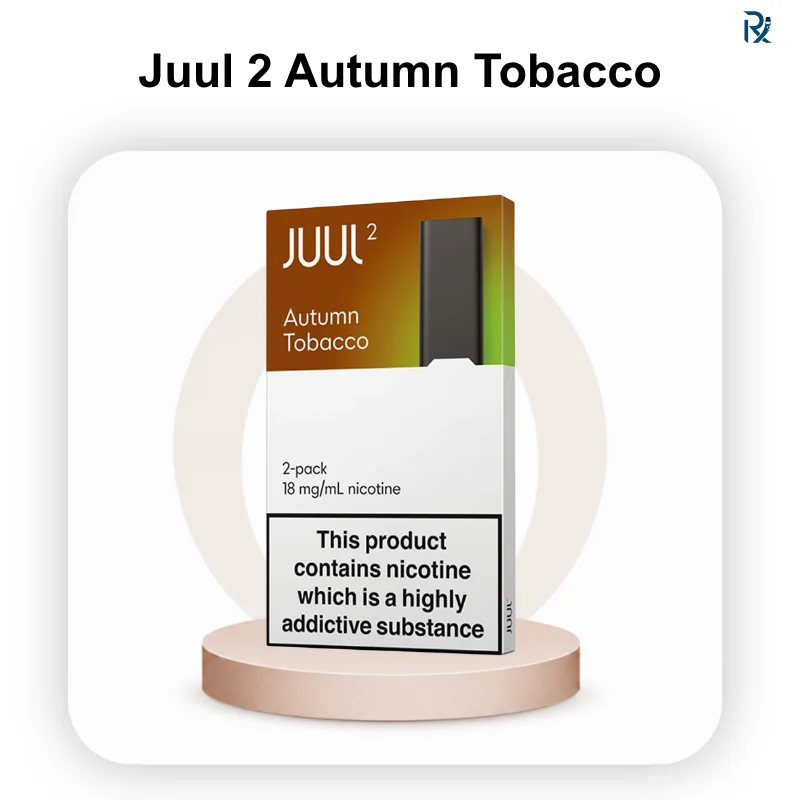
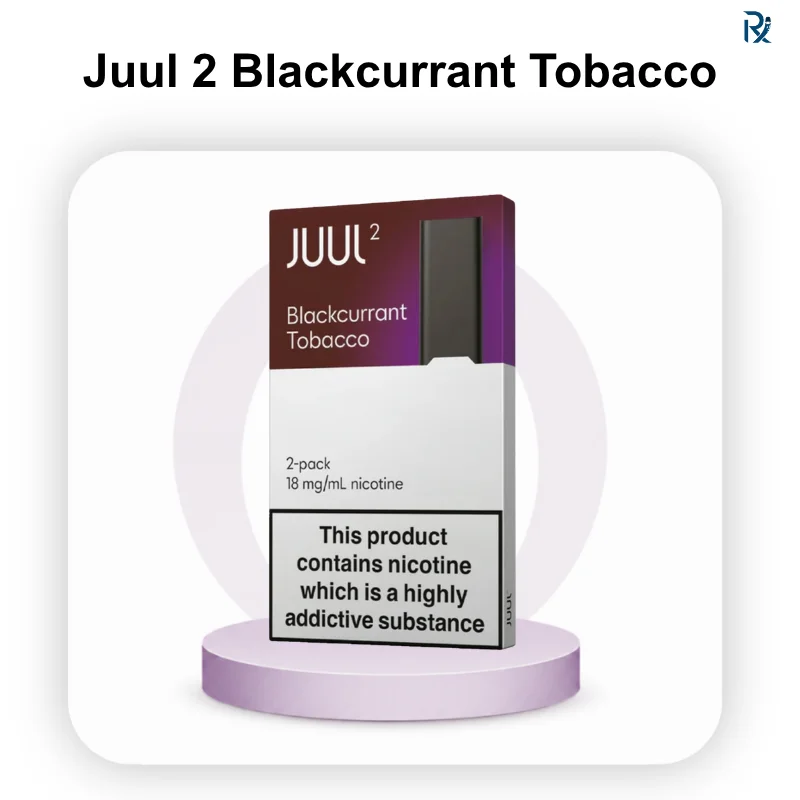
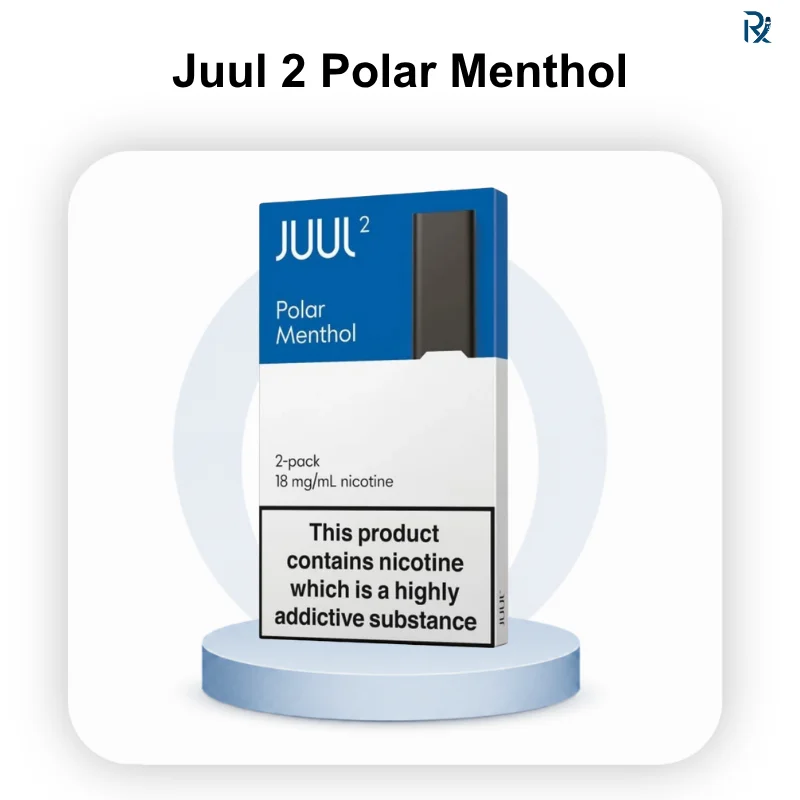
Replace immediately when a burnt taste persists after resting, when the liquid is clearly low or dark, or when the pod has been in active daily use for several days. Fresh pods available include JUUL 2 Autumn Tobacco, JUUL 2 Blackcurrant Tobacco, JUUL 2 Polar Menthol.
Problem 5: JUUL 2 Auto-Firing
Possible Causes
Auto-firing in the JUUL 2 is most commonly caused by e-liquid that has leaked into or around the airflow sensor area. When liquid coats the sensor, it can mimic the airflow pattern of a draw, triggering the device without any input from the user.
Step-by-Step Solution
- Remove the pod immediately and set the device on a tissue with the pod opening facing down.
- Allow any loose liquid in the device to drain onto the tissue for several minutes.
- Use a dry cotton swab to clean around the pod opening and inside the device cavity where the pod normally sits.
- Clean the airflow sensor area carefully — the small opening where air enters during a draw.
- Allow the device to rest for 5–10 minutes before reinserting a pod.
- Reinsert a fresh pod and take a gentle test draw to confirm normal operation.
When to Stop Using the Device
If auto-firing continues after cleaning and resting the device, stop using it immediately. An auto-firing vape device that doesn’t respond to cleaning should be taken out of service and assessed by JUUL support — do not attempt to continue using a device that activates without user input.
Problem 6: JUUL 2 Pod Stuck
Possible Causes
- E-liquid that has leaked into the pod connection area and dried, acting as an adhesive
- The pod is being inserted at a slight angle, and the casing is slightly catching
- Debris around the pod connection area
Step-by-Step Solution
- Do not use pliers, knives, or any metal tool to force the pod out.
- Grip the pod firmly between your thumb and index finger.
- Apply gentle, even pressure while wiggling the pod very slightly from side to side — do not pull at an angle.
- The pod should release with mild, steady pressure.
- Once removed, clean the pod connection area in the device with a dry cotton swab to remove any dried liquid that caused the sticking.
- Check the pod for damage before considering reinserting it.
What NOT to Do
- Never use pliers — they deform the pod casing and can damage the device connection permanently.
- Never insert a sharp object to lever the pod out.
- Never force a pod that isn’t releasing — steady, gentle pressure is always sufficient with genuine pods.
Problem 7: JUUL 2 Pod Not Recognised / No Authentication Lights
Possible Causes
- Pod not fully inserted — the connection requires deliberate firm pressure
- Dirty contact pins are preventing the Pod ID chip from communicating
- A counterfeit pod without a valid encrypted Pod ID chip
- A physically damaged pod with a faulty chip
Step-by-Step Solution
- Remove the pod completely and reinsert with firm, even downward pressure until the magnetic click is clear.
- If no authentication lights appear, clean the gold pins on the pod and device contacts with a dry cotton swab.
- Reinsert again.
- If a different pod from the same pack also fails, try a pod from a completely different pack.
- If a new pack from a verified source authenticates normally, the previous pack had a quality issue.
How UAE Weather Affects Your JUUL 2
UAE summers present specific challenges for electronic devices and e-liquid products that most troubleshooting guides written for other markets never address.
Temperature Effects on the Battery
Lithium-ion batteries in the JUUL 2 are calibrated for operation in standard ambient temperatures. UAE summer temperatures regularly exceed 40°C outdoors and can reach 60°C+ inside parked cars. Prolonged exposure to these temperatures accelerates battery ageing, reduces maximum charge capacity over time, and can cause charging to fail to initiate in extreme heat.
Practical recommendation: Always charge and store the device in a cool, air-conditioned indoor environment. Never leave the device in a parked car, even for short periods during summer months.
Temperature Effects on E-liquid
Higher temperatures reduce e-liquid viscosity — the liquid becomes thinner. Thinner e-liquid flows more readily into the airflow path of the pod, increasing the risk of leaking even with correct draw technique. It also absorbs into the wick faster, which can cause the coil to run dry more quickly and produce a burnt taste earlier in a pod’s life.
Practical recommendation: Store pods in their original sealed packaging in an air-conditioned environment. Never leave pods in direct sunlight or in a hot car.
Condensation and Humidity
Transitioning a cold device from air conditioning into humid outdoor UAE air can cause condensation to form inside the device, which may feel like leaking but is actually normal moisture accumulation. Allow the device to adjust briefly when moving between very different temperature environments.
UAE Storage Recommendations
| Situation | Recommendation |
| Storing overnight | Upright in an air-conditioned room |
| Carrying during outdoor activities | In a pocket or bag away from direct sun |
| In a car | Never leave unattended — remove when exiting |
| Pod storage | Original sealed packaging, cool indoor location |
| Charging | Cool, shaded indoor environment only |
Cleaning and Preventive Maintenance
What You’ll Need
- Dry cotton swabs
- A lint-free or microfiber cloth
- Good lighting
Step-by-Step Cleaning
Charging dock pins:
Remove the dock from power. Use a dry cotton swab to clean the magnetic pins, rotating to lift debris. Reconnect only after confirming pins are clean.
Device contact area:
With the pod removed, use a dry cotton swab to clean the contact area where the pod connects. Pay particular attention to any areas showing e-liquid residue.
Pod contact pins:
Before inserting any new pod, wipe the gold contact pins with a lint-free cloth. This five-second step prevents debris transfer into the device and maintains reliable authentication.
Mouthpiece area:
After any spitback or leaking episode, use a cotton swab to absorb excess liquid from around the mouthpiece before reinserting a pod.
Preventive Maintenance Schedule
| Task | Frequency |
| Clean magnetic charging dock pins | Weekly |
| Clean the device contact area | Weekly or after any leaks |
| Clean the pod contacts before insertion | Every pod change |
| Inspect the pod for the liquid level | Daily |
| Inspect the mouthpiece for liquid | After each session |
| Store the device upright | Always |
| Check UAE storage conditions | Ongoing |
How to Keep Your JUUL 2 Running Like New
To avoid common headaches and get the most out of your device, keep these simple habits in mind:
- Keep it Dry: Never use water or alcohol to clean your device. Moisture is the enemy of electronics; a dry cotton swab is all you need.
- Avoid Sharp Objects: If your pod is stuck, don’t reach for pliers or a knife. Wiggle it gently by hand. Metal tools can permanently damage the sensitive internal pins.
- Mind the UAE Heat: This is crucial. Never leave your JUUL 2 in a hot car or direct sunlight. Extreme heat thins your e-liquid (leading to leaks) and can permanently degrade your battery.
- Store it Upright: Whenever you’re not using it, keep your device standing upright. It’s the easiest way to prevent e-liquid from seeping into the wrong places.
- Pace Yourself: If you’re used to “chain vaping,” try to slow down. Giving the device a few seconds between puffs prevents the wick from drying out and keeps the flavour fresh
When to Replace the JUUL 2 Device
Most JUUL 2 problems are pod-related, not device-related. Consider replacing the device only when:
- Charging consistently fails despite clean contacts, multiple tested power sources, and a confirmed-working dock
- Multiple confirmed genuine pods from multiple different packs all fail to produce vapour in the same device
- LED indicators show persistent unexpected behaviour not matching the standard reference
- The device has been physically dropped and shows signs of internal damage
- Battery life has declined to a fraction of the original performance despite consistently correct charging habits
- Auto-firing persists after thorough cleaning
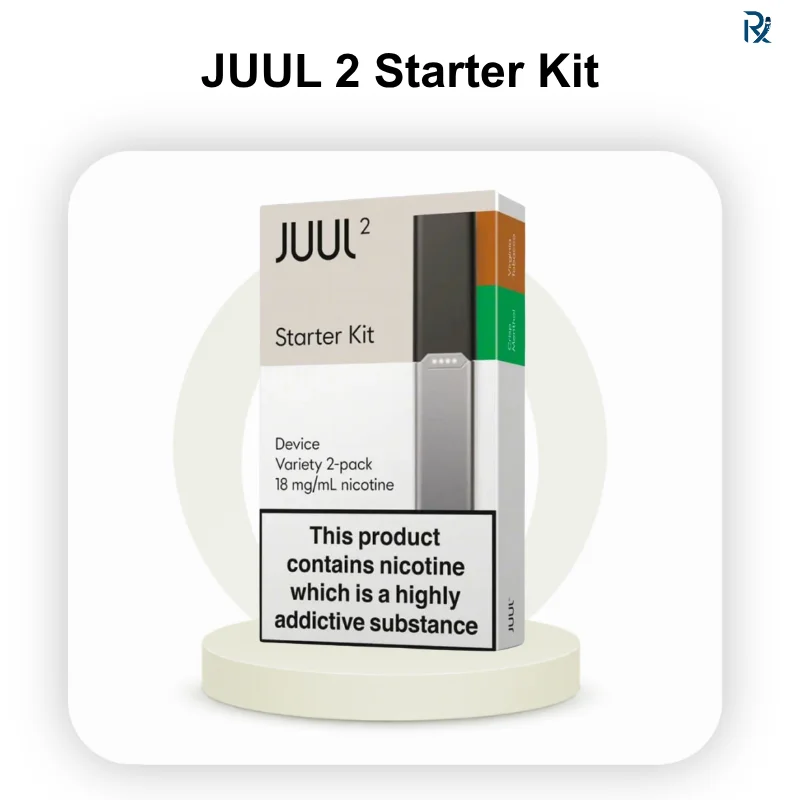
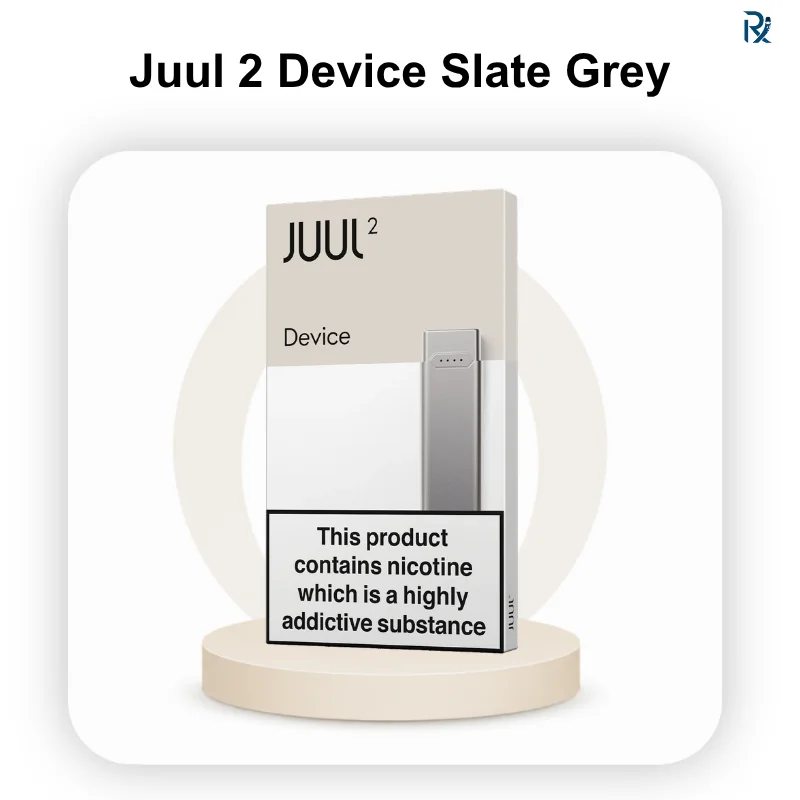
Before purchasing a replacement, contact JUUL support to assess warranty eligibility. The JUUL 2 Starter Kit and JUUL 2 Slate Grey Device are available from authorised sources when a replacement is confirmed necessary.
Complete Troubleshooting Reference
| Problem | Primary Cause | Step 1 | Step 2 | Replace Pod? | Contact Support? |
| Not charging | Dirty magnetic pins | Clean with a dry swab | Try a different USB-A source | No | If cleaning fails |
| No vapor | Air bubble | Tap pod mouthpiece-up | Reinsert firmly | If nearly empty | If multiple genuine pods fail |
| Burnt taste | Empty or dry pod | Rest pod 2–3 min | Replace if persists | Yes, if it persists | If new pods also taste burnt |
| Leaking | Aggressive draw | Slow steady puffs | Clear liquid, clean area | If pod damaged | If all the pods leak in the device |
| Weak flavor | Low liquid or bubble | Tap pod | Clean contacts | If liquid low | Rarely needed |
| No auth lights | Pod not seated | Reinsert firmly | Clean contacts, retry | If chip damaged | If no pod authenticates |
| Flashing red | Dead battery | Charge immediately | — | No | It won’t charge |
| Auto-firing | Liquid on the sensor | Clean the sensor area | Rest device | No | If it persists after cleaning |
| Pod stuck | Dried liquid adhesion | Wiggle gently | Clean the connection area | Check for damage | If the device is is damaged |
| Gurgling | Liquid in airflow | Blow through pod | Wipe the device area | If damaged | Rarely needed |
FAQ
Why is my JUUL 2 not hitting?
A JUUL 2 that isn’t hitting is usually caused by a trapped air bubble, dirty contacts, an improperly seated pod, or an empty pod. Remove the pod, tap it mouthpiece-up 5–10 times, clean the gold contacts on both the pod and device, and reinsert firmly until the magnetic click confirms seating. White flashing lights confirm the pod has authenticated correctly.
Why is my JUUL 2 not charging?
The most common cause is dirty magnetic charging pins. Clean both the dock and device pins with a dry cotton swab and try a different USB-A power adapter. Avoid charging in UAE summer heat — extreme temperatures prevent charging from initiating. If white pulsing lights still don’t appear after cleaning and testing multiple sources, contact JUUL support.
Why is my JUUL 2 blinking?
A flashing red light means the battery is critically low — charge immediately. White flashing on pod insertion confirms Pod ID authentication. White pulsing means the device is charging. No light response on pod insertion suggests the pod hasn’t authenticated. Unexpected patterns not matching these descriptions may indicate a device fault.
Why does my JUUL 2 leak?
Leaking is almost always caused by drawing too hard, squeezing the mouthpiece, or storing the device on its side. UAE heat also thins e-liquid and increases leak risk. Take slow, 2–3 second steady draws and store the device upright in a cool environment. Clean excess liquid from the device area with a dry cotton swab.
Why does my JUUL 2 taste burnt?
A burnt taste means the pod is nearly empty or the wick is temporarily dry from chain vaping. Stop drawing; allow the pod to rest for 2–3 minutes horizontally, then take one slow test draw. If the burnt taste persists, the pod is depleted — replace it.
Can I clean my JUUL 2 contacts?
Yes — and you should do this regularly as preventive maintenance. Use a dry cotton swab to clean the magnetic charging dock pins and the device contact area. Wipe gold pod pins with a lint-free cloth before each new pod insertion. Never use liquids on the contacts.
How long do JUUL 2 pods last?
A JUUL 2 pod delivers approximately 200 puffs for most users. Actual lifespan depends on draw length, frequency, and session habits — chain vaping depletes pods significantly faster than paced use with pauses between draws.
How do I know when my JUUL 2 pod is empty?
The clearest signs are a persistent burnt or harsh taste, noticeably thinner vapor production, and visibly low or dark e-liquid when held to light. The device does not have a pod-level indicator — use the taste and visual tests to judge pod status.
Why is my JUUL 2 auto-firing?
Auto-firing — the device activating without a draw — is usually caused by e-liquid that has leaked around the airflow sensor. Remove the pod, clean the sensor area with a dry cotton swab, and allow the device to rest. If auto-firing continues after cleaning, stop using the device and contact JUUL support.
What do I do if my JUUL 2 pod is stuck?
Grip the pod firmly and apply gentle, steady pressure while wiggling side to side very slightly. Never use pliers or sharp objects. Once removed, clean the connection area inside the device with a dry cotton swab to remove any dried liquid that caused the sticking.
Can a damaged pod cause JUUL 2 problems?
Yes. A pod with a damaged Pod ID chip, faulty coil, or physical deformation can cause authentication failure, no vapour, leaking, or poor performance — all of which can be mistaken for device faults. Always test with a fresh pod from a new pack before concluding the device is the problem.
When should I replace the JUUL 2 device?
Only when charging fails consistently despite clean contacts and multiple verified power sources, multiple genuine pods all fail to produce vapour, LED behaviour is persistently abnormal, or the battery has severely degraded over time. Contact JUUL support for warranty assessment first.
Does cleaning the contacts actually help charging?
Yes, significantly. Dirty magnetic pins are the most common cause of JUUL 2 charging failure, and cleaning them with a dry cotton swab resolves the majority of cases in under a minute — without any replacement needed.
Can using counterfeit pods cause problems?
Yes. Counterfeit JUUL 2 pods don’t contain a valid encrypted Pod ID chip, so a genuine device produces no vapor when they’re inserted — which looks like a device fault but isn’t. Counterfeit pods also leak more frequently and deliver inconsistent flavor. Use only genuine pods from a verified Authentic Retailer.
Is the JUUL 2 covered under warranty?
JUUL offers warranty support for manufacturing defects. If troubleshooting doesn’t resolve your issue, contact the official JUUL support team with your purchase details. Purchasing from a verified Authentic Retailer ensures your device is genuine and eligible for warranty assessment.
Conclusion
Start with the simplest fixes — clean the contacts, check the battery, and reseat the pod. Most JUUL 2 issues resolve in minutes without replacing anything. If the problem persists after working through the relevant section of this guide, try a fresh genuine pod before concluding the device has a fault. If the problem continues across multiple genuine pods and every troubleshooting step has been followed, contact official JUUL support to check your warranty before purchasing a replacement.